Shopify Agentic Storefronts vs Acom: What Shopify Does for You, and What It Leaves to You
Shopify Agentic Storefronts lists your products in ChatGPT, Gemini and Copilot for free. What it covers, what it doesn't, and when you need Acom.
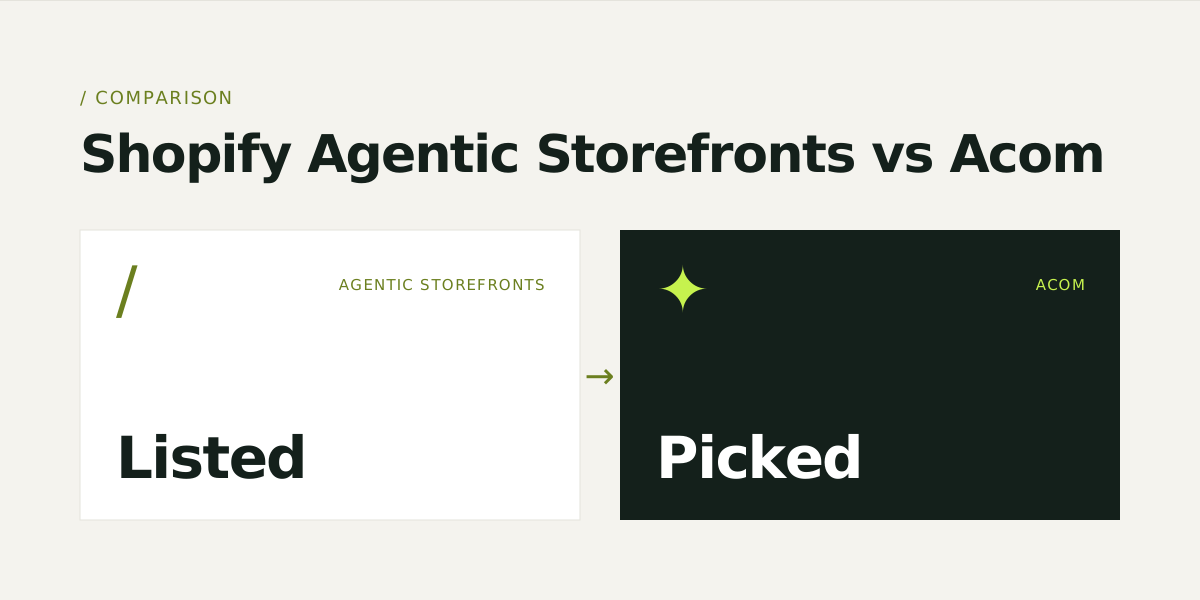
Shopify Agentic Storefronts and Acom do different jobs. Agentic Storefronts gets your products listed. It puts eligible Shopify products into ChatGPT, Google AI Mode and Gemini, Microsoft Copilot and Meta, for free, and it is on by default. Acom works on what happens after you are listed. It checks whether an agent can confirm the details a shopper asked for, which prompts you lose and to whom, and whether you have an offer that fits the ask. Most Shopify stores should keep Agentic Storefronts on, whether or not they use Acom.
Disclosure: we build Acom. Everything below about Shopify comes from Shopify's own help center, blog and newsroom, checked on October 27, 2026 and linked at the end. Where Shopify's docs don't say something, we say so instead of guessing.
What are Shopify Agentic Storefronts?
Agentic Storefronts is a Shopify sales channel that lets shoppers find and buy your products inside AI chat apps. Shopify turns it on by default for eligible stores, so there is nothing to install. You manage it in your admin under Sales channels > Agentic.
Your products reach the AI channels through Shopify Catalog, Shopify's structured product data layer. Google AI Mode and Gemini get them through the Google & YouTube channel or Google Merchant Center instead, and Meta gets them through the Facebook & Instagram channel. Shopify's help center lists four supported channels:
| Channel | How the shopper buys | Fees |
|---|---|---|
| ChatGPT | On your own store, in ChatGPT's in-app browser or a new tab | None beyond your existing payment processing |
| Google AI Mode and Gemini | Shopify direct checkout inside the channel, if turned on | Standard Shopify processing rates |
| Microsoft Copilot | Shopify direct checkout inside the channel, if turned on | Standard Shopify processing rates |
| Meta, including Muse | Shopify direct checkout inside the channel, if turned on | Not stated in Shopify's docs |
AI channel orders show up in your admin with channel attribution, and you remain the merchant of record. Shopify's March 2026 announcement described ChatGPT sales as carrying "no transaction fees beyond standard processing rates."
Who is eligible?
Most paid Shopify stores that sell to US buyers are eligible. To be eligible for Agentic Storefronts and Shopify Catalog, a store and its products need to meet these conditions:
- The store is on the Starter plan or higher and isn't password-protected.
- Your terms of service, privacy policy, and return and refund policy are all filled in.
- Each product has a title, at least one image and a price above zero, and is published to your online store.
- The product isn't set to Unlisted or hidden from search engines.
- Your account is in good standing: verified, with two-step authentication, real sales history and a low chargeback rate.
- The product isn't in an excluded category. Exclusions include alcohol, tobacco and vaping, CBD, weapons, adult products, event tickets, services and add-ons, and uncategorized products.
Reach also depends on the channel. Shopify says ChatGPT and Copilot are open to stores selling to US buyers, wherever the store is based. AI Mode and Gemini are open to US-based stores selling to US customers, with a wider rollout underway.
That last exclusion deserves a second look. In our July 2026 scan of 235 live product pages, 54% of products could not be placed in a category from the data on the page. Shopify classifies products from your product information, so its result can differ from ours. Still, missing category data is common, and Shopify excludes uncategorized products.
What does Agentic Storefronts do well?
It covers the plumbing, and it costs you nothing. Credit where it's due:
- It's automatic. There's no app, feed file or integration to maintain. Eligible products are listed by default.
- It handles checkout. With direct checkout on Google, Copilot and Meta, a shopper can buy without leaving the chat.
- It stays in sync. Shopify updates Catalog continuously, so AI channels get your current prices and stock.
- It attributes orders. The Agentic page reports sales, orders, sessions and conversion per AI channel.
- It gives you a first quality check. A search preview shows how your top products rank in Shopify Catalog search, with a listing-quality bar. Listing insights score description completeness, image coverage, reviews, variant completeness and policy completeness, and suggest fixes.
- It lets you map fields. Catalog Mapping lets you choose which attribute, metafield or metaobject feeds each product's title, description and category, and group variants into one listing.
- It answers policy questions. The Knowledge Base app gives agents verified answers on returns, shipping and FAQs. Shopify also publishes
agents.mdandllms.txtdiscovery files for your store.
For a store with a small, simple catalog and complete product data, that can be enough.
What doesn't Agentic Storefronts do?
It gets you listed. It doesn't get you picked. Shopify says so itself: inclusion in Catalog doesn't guarantee a product will appear in a specific AI answer, and each channel "controls the final ranking, wording, and shopping experience." Five things stay with you.
1. It sends what you've filled in, and nothing more
Shopify describes Catalog data as "titles, descriptions, images, pricing, options, and availability." Catalog Mapping covers three fields: title, description and category, with one source each. Agents compare on product facts. If "caffeine-free", "vegan" or "fits a 15-inch laptop" lives only in a tagline, a badge icon or a photo of the label, there is no structured field to carry it. At best the agent finds it in your description text, and at worst it never sees it.
Shopify has said it is adding richer product data, including machine-learning-inferred metadata, to Catalog responses. That helps. But an inferred value is a guess from what you already published. It can't add a fact that isn't in your data. Listing insights will flag an incomplete description, but they won't write the missing facts for you.
Most stores have gaps here. In our scan, 94% of product pages had no shipping terms an agent could read as data, and 92% had no readable return policy.
2. It doesn't tell you which prompts you lose
The Agentic reports show what sold. The search preview shows the raw output of Shopify Catalog search, and Shopify notes that each channel often re-ranks results its own way. Neither shows you that a shopper asked ChatGPT for "a caffeine-free energy supplement under $60" and got your competitor. You only see the sales you made, not the recommendations you missed.
3. It doesn't show you your competitors
There is no view of who wins the answers you lose, or what their listings have that yours don't. Fixing your data without that view is guesswork about which fields matter for the questions your buyers actually ask.
4. Your offers aren't in the data
Most store incentives are built for people: a "2 for $58" popup, a free-shipping banner, a subscribe-and-save toggle at checkout. An agent compares products and builds its shortlist before the shopper ever reaches your store, so it never sees those. If the shopper asked for "a month's supply under $60" and your single bottle is $39, the agent works out $78 and moves on.
Catalog sends products. If a two-pack or kit exists as its own product, for example one made with Shopify's Bundles app, Catalog can list it like any other product. What Shopify doesn't do is tell you which offer to build. It won't show which questions you lose on price, quantity or completeness, which kit would answer them, or the smallest discount that still wins inside your margin.
5. It covers Shopify's channels
The supported list is ChatGPT, Google AI Mode and Gemini, Microsoft Copilot, and Meta. Perplexity, Claude and Google Shopping listings reach products through other routes: crawling, product feeds and Merchant Center.
Shopify Agentic Storefronts vs Acom at a glance
| Shopify Agentic Storefronts | Acom | |
|---|---|---|
| What it is | A built-in Shopify sales channel | An agentic commerce platform for Shopify, WooCommerce, Wix and BigCommerce stores |
| Price | Free. Standard payment processing only | Catalog from $190/month. Offers: 3% of each bundle sale |
| Setup | On by default for eligible stores | Connect your store, then approve what Acom drafts |
| Where products go | ChatGPT, Google AI Mode and Gemini, Microsoft Copilot, Meta | Each channel in the format it reads: ACP for ChatGPT and Copilot, UCP for AI Mode and Gemini, product feeds for ChatGPT Shopping, Google Shopping and Perplexity, and Shopify Catalog and MCP for Meta Muse and Claude |
| Checkout | Direct checkout on Google, Copilot and Meta. Your store for ChatGPT | Keeps your checkout. Works alongside Shopify's |
| Product data | Sends what you've entered. Mapping for title, description and category | Drafts missing values from your own material (product pages, labels, lab reports, FAQ), shows each value's source, and publishes what your team approves |
| Finding gaps | Listing insights flag incomplete descriptions, images, variants and policies | Traces each lost prompt to the field that cost it |
| Prompt tracking | Search preview of Catalog search, not channel answers | Runs your buyers' prompts in real browser sessions across ChatGPT, Gemini, Claude and Google Shopping, repeated across runs |
| Competitor view | None | Shows which competitor is named where you're not |
| Offers | Sends bundles that already exist as products | Builds the missing offer as a real Shopify product with its own SKU, checked against your margin floor |
| Controls | Per-channel toggles for Catalog access and direct checkout | Margin floor, maximum discount, never-touch list, and manual or automatic approval |
| Measurement | Sales, orders, sessions and conversion per channel | Share of AI answers per prompt, plus exact revenue for every order containing an offer's SKU |
Do you need Acom if you already have Agentic Storefronts?
Not always. Here is a fair way to decide.
You probably don't need it if:
- You sell a few dozen products and you can keep their data complete by hand.
- Your key facts (category, barcode, material, size, compatibility) are already in product fields, not in images or prose.
- Your store policies are complete and Shopify's listing insights show no gaps.
- You check a handful of shopper questions in ChatGPT yourself each month, and you're getting named.
Acom earns its place if:
- You have hundreds of products, and many of the facts shoppers filter on sit in images, labels or marketing copy.
- Your buyers ask with constraints: dietary needs, compatibility, size, "under $60".
- You've asked ChatGPT or Gemini about your own category and a competitor got named instead of you.
- You sell consumables, kits or multi-packs, where "a month's supply" or "a starter set" questions decide the sale.
- You want to show up in Perplexity, Claude and Google Shopping too, not only on Shopify's channels.
- You need to show what AI shopping work actually earned, not just that orders arrived.
How does Acom work alongside Agentic Storefronts?
Keep Agentic Storefronts on. Acom doesn't replace it, and your theme, product pages and checkout stay as they are.
- Find. Acom runs the buying prompts your shoppers use, built from your Search Console queries, analytics journeys and store search terms. It shows where a competitor is named and you aren't, and traces each miss to the field that cost it.
- Write. Acom drafts the missing values from your own material, with a source next to each one. Your team approves, edits or rejects every value. Nothing is invented, and nothing goes live until you approve it.
- Publish. Approved data goes to each AI surface in the format it reads, and stays in sync when a price or spec changes.
- Offer. When you lose prompts on price, quantity or completeness, Acom builds the offer that answers them, such as a two-pack or a starter kit. Each offer is a real Shopify product with its own SKU, priced inside your margin rules. To Shopify it is an ordinary product, so it can be listed through Catalog like your other products, as long as it meets Catalog's requirements.
See Catalog and Offers for the details, or pricing.
What should you check this week?
Five checks, no tool needed:
- Open Sales channels > Agentic. Confirm you see a product count, not an Ineligible warning. If you see the warning, open the reasons.
- Fill in all store policies. That means terms of service, privacy, and return and refund. Missing policies block eligibility.
- Read listing insights for your top 10 products. Fix what Shopify flags first, because it's free and fast.
- Check categories on your top 20 products. Shopify excludes uncategorized products, and in our scan more than half of products couldn't be categorized from their page data.
- Ask the agents yourself. In fresh chats, ask ChatGPT, Gemini and Copilot three questions a shopper who doesn't know your brand would ask. Run each a few times, because answers vary, and note who gets named.
If you want to see how an agent reads one of your products before you start, run our free AI readiness audit. Paste one product link and get a score out of 100, with every finding traced to the evidence, in about a minute. No account needed.
For the ChatGPT-specific version of this checklist, read how to get your Shopify products into ChatGPT Shopping.
Sources
- Shopify Help Center: Agentic storefronts
- Shopify Help Center: Making products available in agentic storefronts
- Shopify Help Center: The Agentic page in your admin
- Shopify Help Center: Shopify Catalog, Catalog requirements and Catalog Mapping
- Shopify Blog: Agentic commerce: benefits and how to get started (September 25, 2026)
- Shopify Newsroom: Agentic commerce momentum (March 24, 2026)
- Ambaum: Shopify Summer '26 Edition and agentic commerce (June 18, 2026)
- Acom: We scanned 235 product pages for AI readiness (July 25, 2026)