How to Get Your WooCommerce Store into AI Search
Shopify stores get pushed into ChatGPT automatically. WooCommerce stores get nothing for free. Here is what AI agents actually read on a WooCommerce product page, and the seven checks an owner can run without a developer.
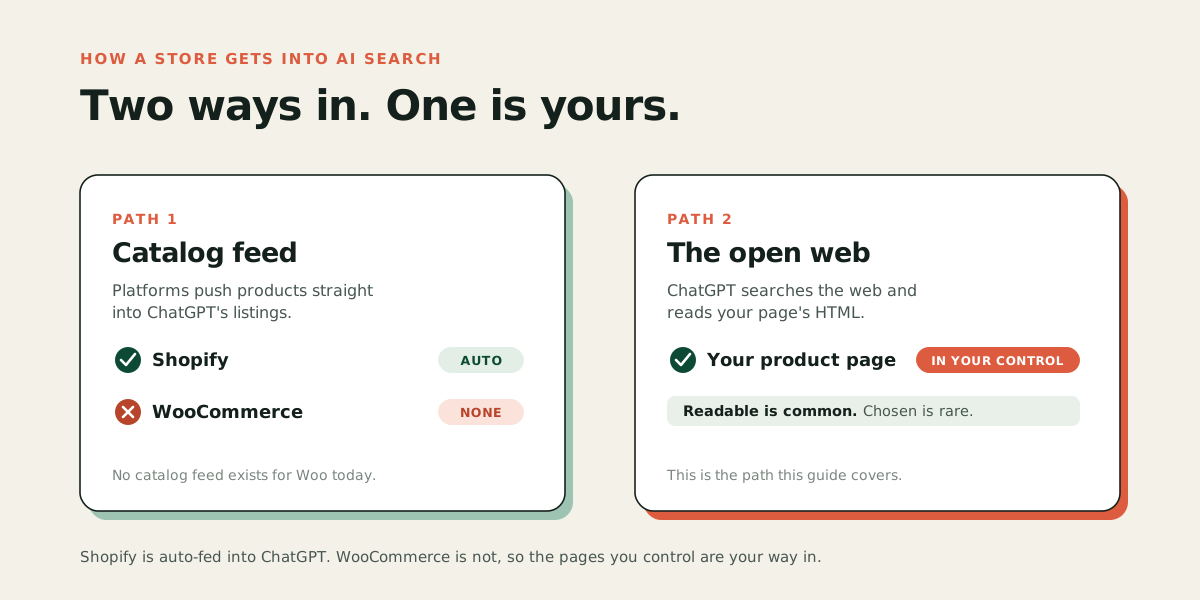
WooCommerce stores are not in AI search by default. Shopify pushes its merchants' catalogs into ChatGPT automatically; WooCommerce has no equivalent, so an AI agent only knows what it can read from your product pages. That puts the fix in your hands: let AI crawlers in, complete your product data, publish shipping and returns in a form agents can read as data, and get your pages properly indexed. This guide walks through those steps in order, none of which need a developer, and shows what AI agents actually see when they land on a WooCommerce page.
Why doesn't WooCommerce show up in AI search on its own?
Because nobody is sending your catalog anywhere. When a shopper asks ChatGPT or Perplexity for a product recommendation, the assistant pulls candidates from two places: catalog feeds that platforms and merchants submit, and the open web that it searches and reads on the spot.
Shopify covers the first path for its merchants. It syndicates eligible stores' products into ChatGPT as a platform feature, with no action from the store owner (if that is you, see how to get your Shopify products into ChatGPT Shopping). WooCommerce, which runs more online stores than any other platform (roughly a third of all stores worldwide, over four million of them), has announced nothing equivalent. What WooCommerce offers instead are developer rails: an MCP integration (MCP is a standard that lets AI agents talk to your store's data and checkout directly), which shipped as a developer preview in late 2025, and agent-driven checkout through Stripe, where WooCommerce was a day-one launch partner. Both are real and moving fast, and both are projects for a developer, not settings a store owner flips.
That leaves the second path, the open web, as the one that matters for a typical Woo store. It is also the path where you control every input. For how agents choose what to recommend across ChatGPT, Perplexity and Google, see how to get your products recommended by AI.
What do AI agents actually read on your product page?
They read the HTML your server sends, and almost nothing else. Vercel analyzed hundreds of millions of AI crawler requests and found that the major AI crawlers, including OpenAI's and Anthropic's, download JavaScript files but never run them. So whatever arrives in the initial page response is the product as far as the agent is concerned.
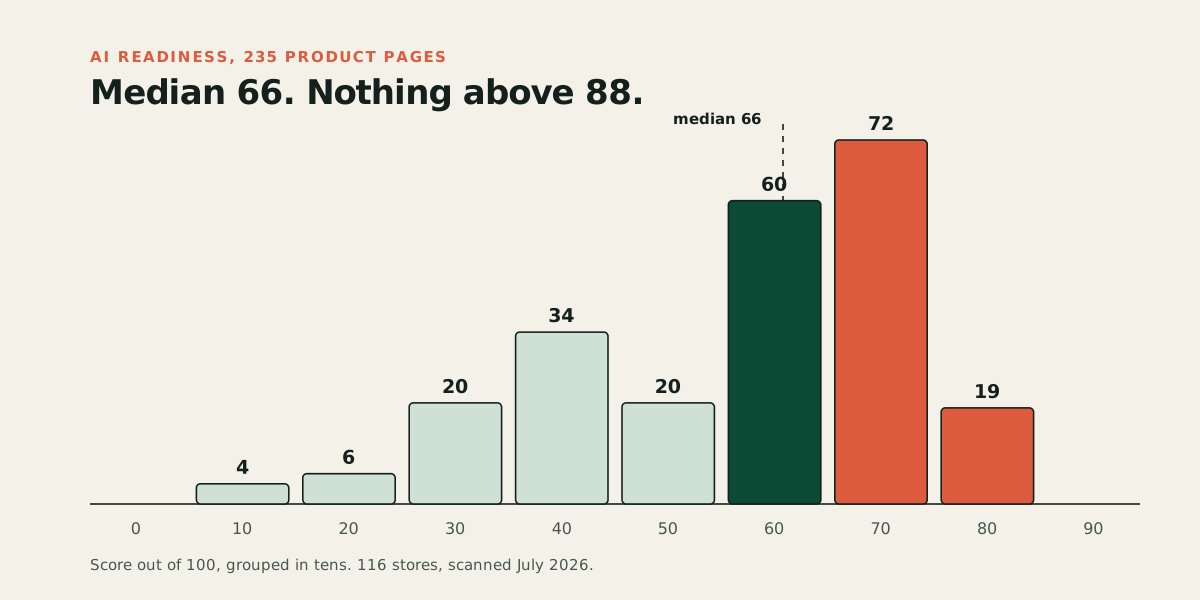
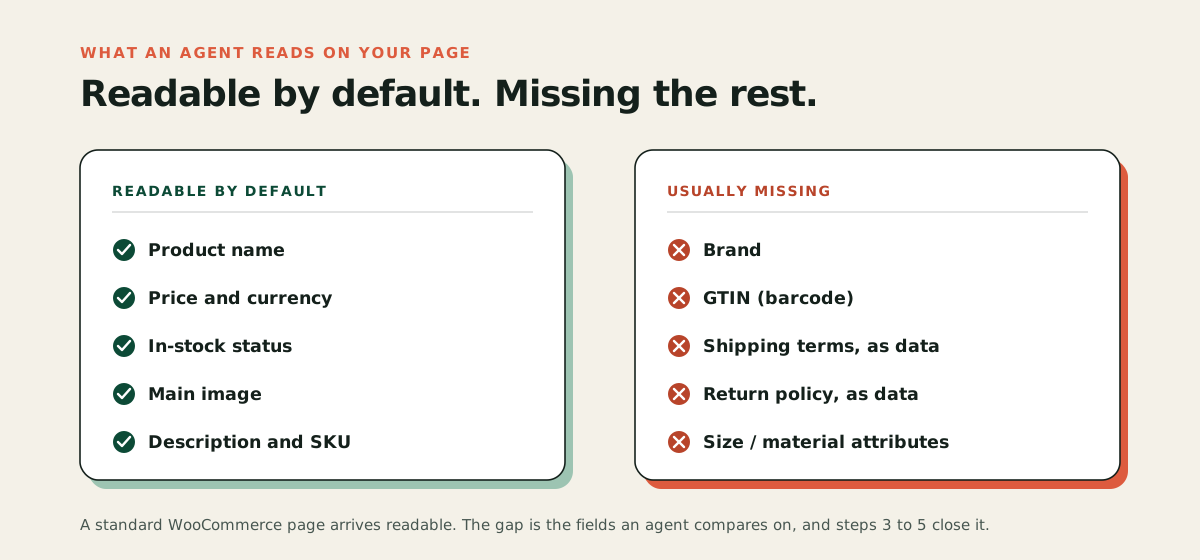
This is quietly good news for WooCommerce. WordPress renders pages as full HTML on the server, so a standard Woo product page arrives readable. In our own July 2026 scan of 235 live product pages across 116 stores, 96 of the pages ran on WooCommerce, and readability was rarely the problem. The problem was what was missing from the readable page. Across all platforms, 94 percent of pages had no shipping terms an agent could read as data, 92 percent had no readable return policy, and 47 percent had none of the things an agent needs to complete a purchase. The full numbers are in our AI shopping readiness study.
So the question for your store is not "can an agent see my page" but "does my page contain what an agent needs." Here is how to close that gap.
Step 1: See what an agent sees
Start with evidence, not guesswork. Run the free audit on one product page: it fetches the page the way an AI crawler does and shows every check it passes and fails, with the evidence. If you prefer the manual version, open a product page, right-click, choose "view page source," and search for your product's name and price. If they are in that raw text, agents can read them.
Step 2: Make sure AI crawlers can get in at all
Some stores are invisible for the bluntest reason: they block the crawlers. Check two places. First, your robots.txt file (the plain text file at yourstore.com/robots.txt that tells crawlers what they may read): it should not disallow GPTBot, OAI-SearchBot, ClaudeBot, or PerplexityBot. Second, your firewall or security layer. Cloudflare has blocked AI crawlers by default for domains added since mid-2025, and several WordPress security plugins have an "AI bots" toggle that does the same. Blocking AI training crawlers is a choice some owners make deliberately; just know that blocking the search-related ones removes you from AI answers too.
Step 3: Complete the product data agents compare on
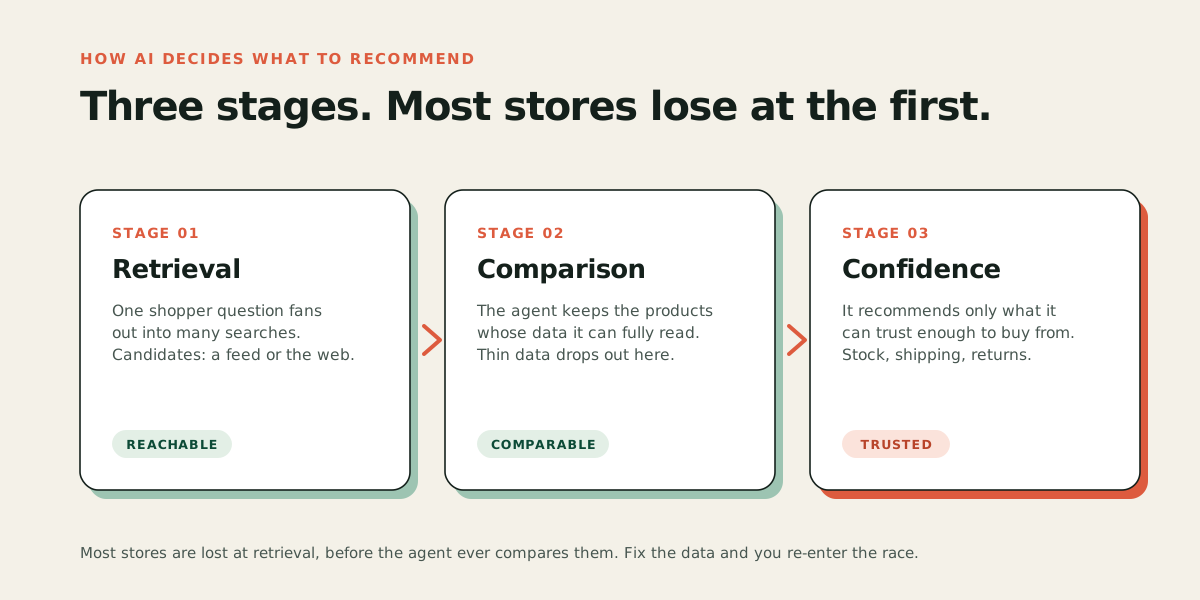
When an assistant picks between ten candidate products, it favors the ones it can fully describe. Go through your top products in the WordPress admin and fill what WooCommerce already has fields for: brand, SKU, the GTIN (the number under the product's barcode) where you have one, and real attribute data (material, size, color, weight) as structured attributes rather than only prose. Write descriptions that state facts an agent can reason over: what it is made of, what it fits, what it ships with. A description written only as mood copy gives an agent nothing to compare.
Step 4: Check your product structured data
Structured data is the machine-readable summary of your product (name, price, availability, brand, identifiers) embedded in the page. WooCommerce outputs a basic version of this for products: name, description, image, SKU, price, currency, and availability. Basic is the operative word, though. Brand and barcode-level identifiers are typically not in it unless a plugin extends the markup. A mainstream SEO plugin that enriches WooCommerce product structured data is a reasonable, low-risk addition here; Rank Math does it in its free version, and Yoast offers a paid WooCommerce add-on. After changes, test one page with Google's Rich Results Test to confirm the product data is complete and valid.
Step 5: Publish shipping and returns as data, not just text
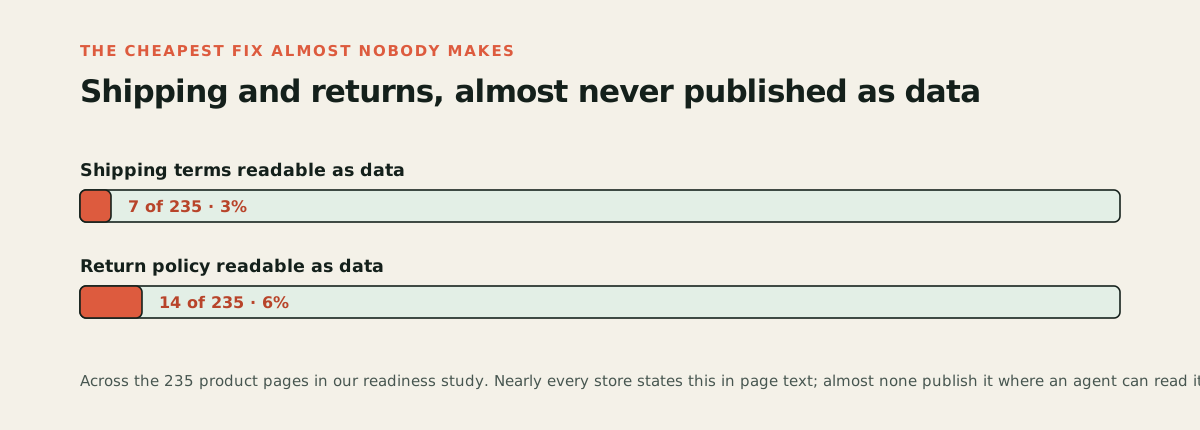
This is the single most common failure in our study, and the cheapest to fix relative to how much it matters. Nearly every store states shipping and returns somewhere on the page or in a policy page. Almost none publish them in the structured form agents read: only 7 of 235 pages had readable shipping terms and only 14 had a readable return policy. An agent that cannot establish what happens if the product does not fit will hesitate to recommend, and cannot complete, a purchase. WooCommerce has no built-in setting for this, but some SEO plugins can publish your shipping and return terms as structured data from fields you fill in once (Rank Math and All in One SEO both offer this), and if you send a product feed to Google Merchant Center, you can set shipping and return policies at the account level there.
Step 6: Get indexed where the assistants look
AI assistants that search the web lean on existing search indexes, and not just Google's. ChatGPT's search launched on Bing's index and still draws on it, though OpenAI is steadily building its own index with its own crawler. Either way, the practical move is the same: register your store in both Google Search Console and Bing Webmaster Tools, submit your sitemap in both, and fix anything they flag as unindexed. Most Woo owners have done this for Google and never for Bing, which quietly cuts them out of a share of AI answers.
Step 7: Send a product feed where you can
WooCommerce does have one feed path an owner can set up: a product feed to Google Merchant Center through the free official Google for WooCommerce extension (you may know it by its old name, Google Listings & Ads). That feed serves Google Shopping today and Google's AI shopping surfaces as they grow. It does not put you in ChatGPT, but it is the one platform feed available to a Woo store without a developer, and it is free.
So do you need a plugin, or not?
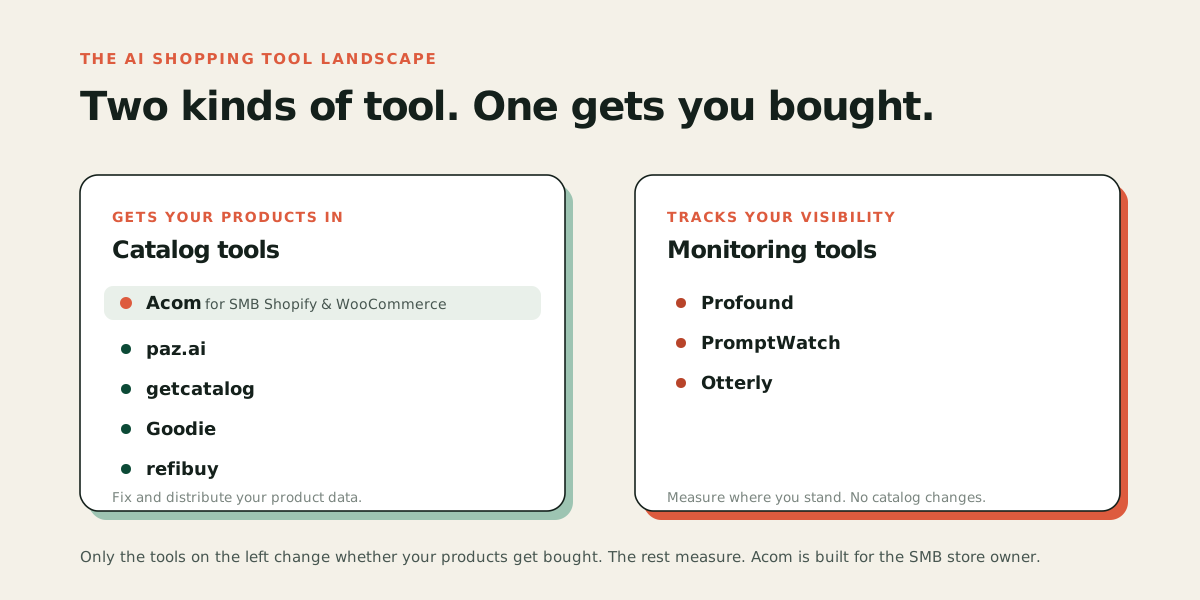
Here is the honest version. No plugin can put a WooCommerce store into ChatGPT Shopping's catalog listings, because that pipeline runs on platform-level feeds that WooCommerce does not have. What plugins can legitimately do: extend your product structured data (step 4), manage your Google feed (step 7), and handle sitemaps and indexing hygiene (step 6). What to be skeptical of: anything selling a one-click "AI visibility" switch. If the work were one click, Shopify's automatic enrollment would have solved it for their merchants, and our study of 235 product pages found the opposite: being enrolled or readable is common, being complete enough to be chosen is rare.
That gap between readable and chosen is the actual work, on WooCommerce and everywhere else. It is also exactly the work Acom automates: finding what is missing on every product page, fixing it, and verifying the fix went live. If you would rather see the problem on your own store first, the audit is free and takes about a minute. If you have seen enough, start a free trial.