Why Your Store Doesn't Show Up in AI Recommendations (and How to Fix It)
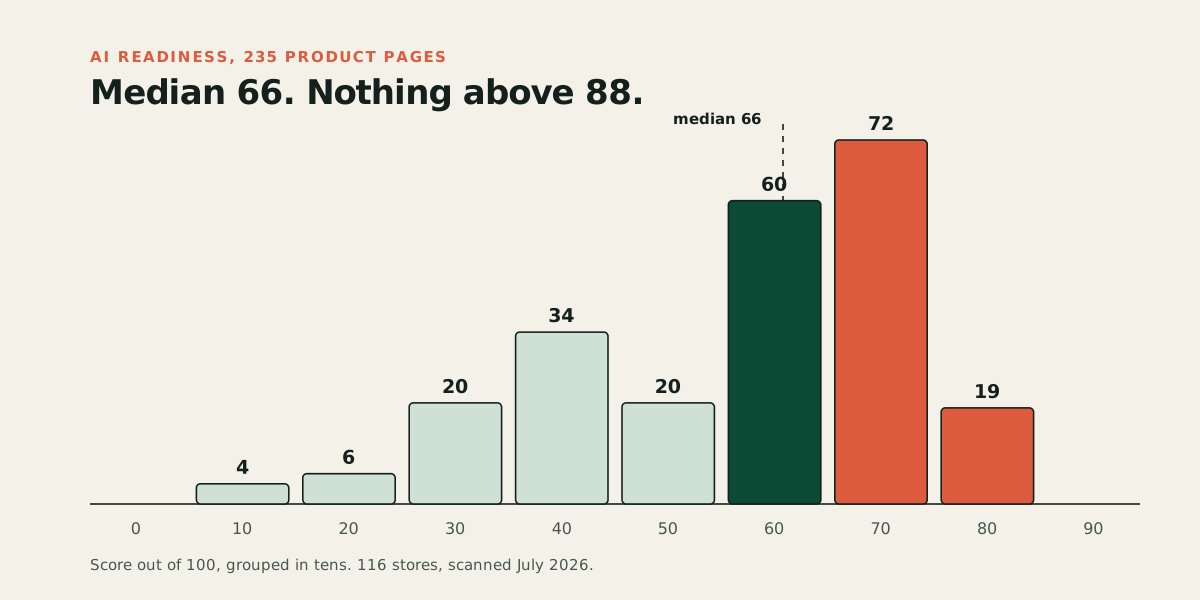
Five reasons AI shopping agents skip your store, each with a self-check and a fix. Based on a scan of 235 real product pages where 94% had no readable shipping terms and 47% had nothing an agent needs to complete a purchase.
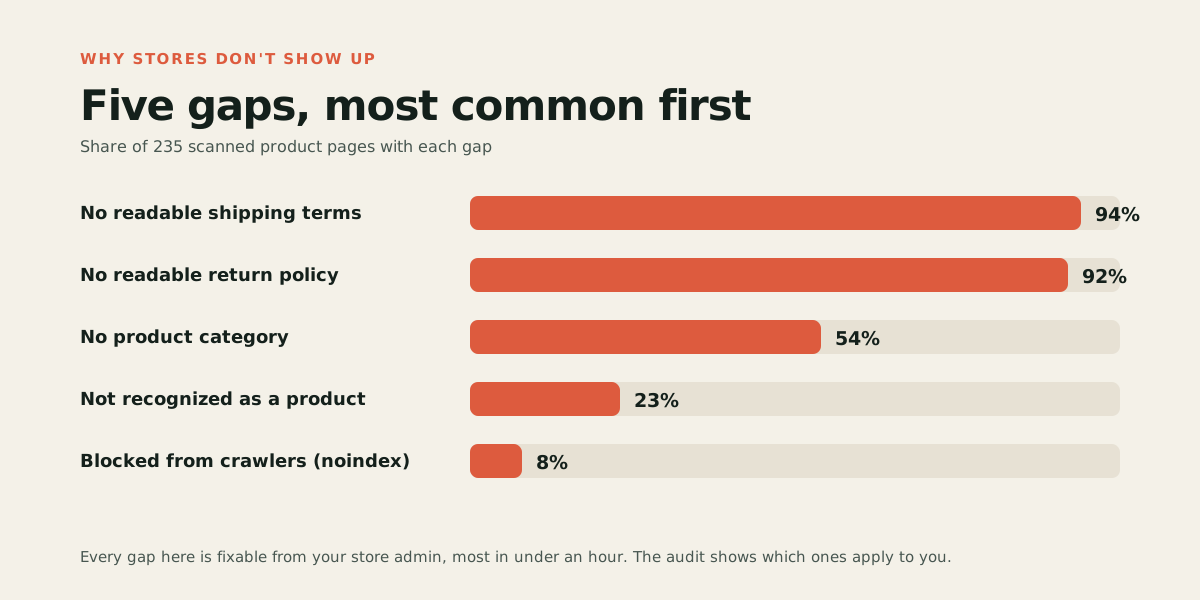
Your store is most likely missing from AI recommendations because your product page doesn't give the agent what it needs to trust and complete a purchase, not because you did anything wrong. In a scan of 235 live product pages, the most common gaps were unreadable shipping terms (94 percent of pages), unreadable return policies (92 percent), and missing product identifiers. Forty-seven percent of pages had none of the three things an agent needs to buy from them. Below are the five causes in order of how often they show up, each with a self-check and a fix.
What are the most common reasons a store doesn't show up in AI recommendations?
| Cause | Share of stores affected | How fast to fix |
|---|---|---|
| Page blocked from AI crawlers | 8% carried a noindex instruction | Minutes |
| Page doesn't identify itself as a product | 23% weren't marked as a product at all | Hours to days, may need a developer |
| Missing product identifiers or category | 54% had no category; 86% had no full product code | Under an hour per product |
| No readable shipping terms | 94% | Under an hour, once |
| No readable return policy | 92% | Under an hour, once |
These numbers come from our scan of 235 product pages across 116 stores. Here's what each cause means for your store and how to check for it yourself.
Are AI crawlers even able to read your page?
Some stores are invisible for the simplest possible reason: something is turning away the crawler, the automated program an AI tool sends out to fetch and read webpages, before it reads a single word.
Two places to check. First, your page's indexing instruction: a "noindex" tag tells search engines, and by extension AI assistants that rely on search indexes, to skip the page. In our scan, 19 of 235 pages carried this, almost always left over from a staging site or a plugin default rather than a deliberate choice. Second, your robots.txt file (the plain text file at yourstore.com/robots.txt) and your firewall: Cloudflare has blocked AI crawlers by default for domains added since mid-2025, and some security plugins have an "AI bots" toggle that does the same.
Self-check: View your page source (right-click, "view page source") and search for "noindex." Then visit yourstore.com/robots.txt and check whether GPTBot, OAI-SearchBot, ClaudeBot, or PerplexityBot (OpenAI's, Anthropic's, and Perplexity's crawlers) are disallowed.
Fix: Remove the noindex tag if it's there by mistake. Update robots.txt to allow the four crawlers above. If you use Cloudflare or a security plugin, find the AI bot setting and allow the search-related crawlers through, even if you keep blocking AI training crawlers.
Does your page tell an agent it's actually looking at a product?
In our scan, 23 percent of pages weren't recognized as containing a product at all. A shopper looking at the page sees a normal product listing; an agent sees a page it can't classify.
The most common cause is missing or incomplete product markup (the structured data that names something as a product, with a price and availability, rather than just a page of text). A second, related cause is JavaScript rendering: AI crawlers download a page's JavaScript files, but the major ones don't run them, so whatever the server sends in the first response is what the agent sees. If your price, availability, or product name only appear after JavaScript builds the page in the browser, an agent sees a page with nothing usable on it. This is a bigger risk on custom-built storefronts and heavily templated themes than on standard Shopify or WooCommerce pages, which render as full HTML by default.
Self-check: View page source (right-click, "view page source") and search for your product's name and price in that raw text. If they're not there, an agent can't see them either, no matter how the page looks in a browser. Then run Google's Rich Results Test on the page to see whether it detects valid product markup.
Fix: If you're on Shopify or WooCommerce, this is rare and usually means a custom theme is overriding the default template; ask whoever built your theme to confirm product data renders server-side. On a custom-built site, this is a developer fix: the product's core data needs to be in the initial HTML response, not injected afterward.
Is your product missing the details an agent compares it on?
An agent choosing between several eligible products favors the ones it can fully describe. In our scan, 54 percent of products couldn't be placed in a category at all, and only 14 percent had a full product identifier (a barcode-level code, not just your own internal SKU). Without a category or a real identifier, an agent has less to compare your product against alternatives, and less confidence it's matching your product to the same product sold elsewhere.
Self-check: Open one of your best-selling products in your store admin. Does it have a category assigned? A brand field filled in? A GTIN, UPC, or other barcode-level identifier, not just your internal SKU?
Fix: Fill in category, brand, and a real product identifier for your top products first. Add physical attributes (material, size, color, weight) as their own fields rather than only inside the description text. If your platform's built-in fields fall short, a mainstream SEO plugin can usually extend your product's structured data to cover the gap.
Have you published your shipping terms as data, not just text?
This is the single most common gap, and the cheapest to close relative to how much it matters. Ninety-four percent of the pages we scanned had no shipping terms an agent could read as data. Almost every one of those stores states shipping somewhere on the page, just not in a form an agent recognizes as shipping information.
Self-check: Search your page source for your shipping cost or delivery window. If it only appears as plain paragraph text with no surrounding markup, an agent likely can't extract it as a fact.
Fix: Most SEO plugins (Rank Math and All in One SEO both do this for WooCommerce, for example) can publish shipping terms as structured data from fields you fill in once. If you send a product feed to Google Merchant Center, you can also set shipping policy at the account level there.
Have you published your return policy as data, not just text?
The same problem, on the other side of the sale. Ninety-two percent of pages had no return policy an agent could read as data. An agent that can't establish what happens if a product doesn't fit will hesitate to recommend it, and can't complete a purchase where that information is required.
Self-check: Same as above, but for your return window and conditions. If it lives only in a separate policy page's paragraph text, an agent reading your product page won't see it.
Fix: Same plugins that handle shipping structured data typically handle returns too. If you only have one policy page today, that's a start, but the goal is for the return terms to be attached to the product page itself, not just linked from it.
How do you check all five causes on your own store at once?
Run the free audit on one product page. It fetches your page the way an AI crawler does and shows you which of these five causes apply, with the evidence, in about a minute. No account or card required.
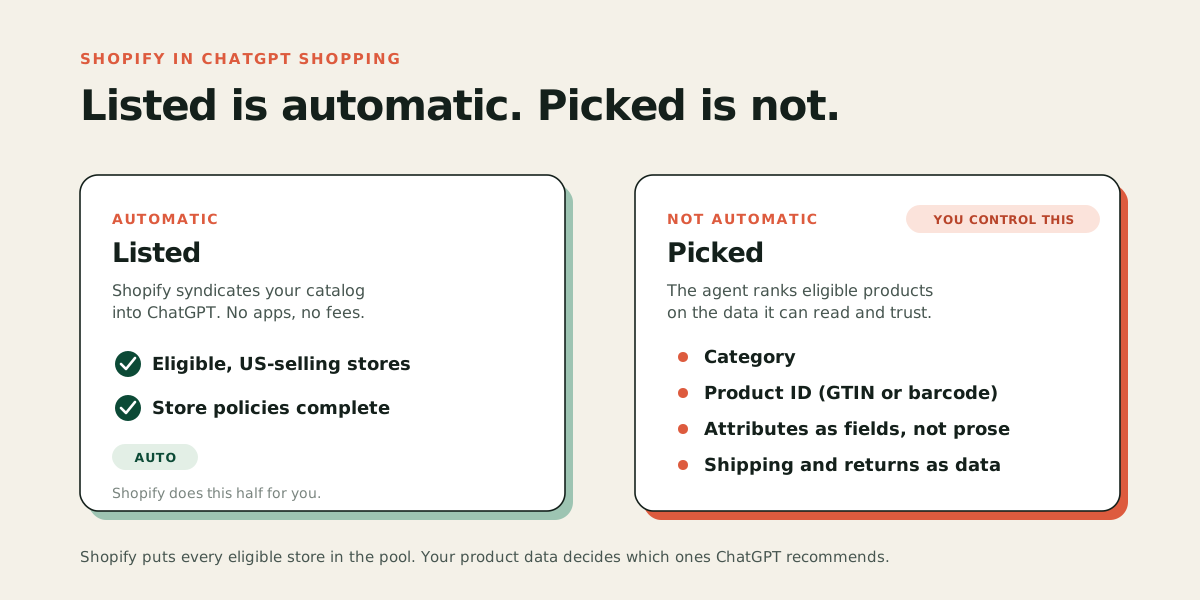
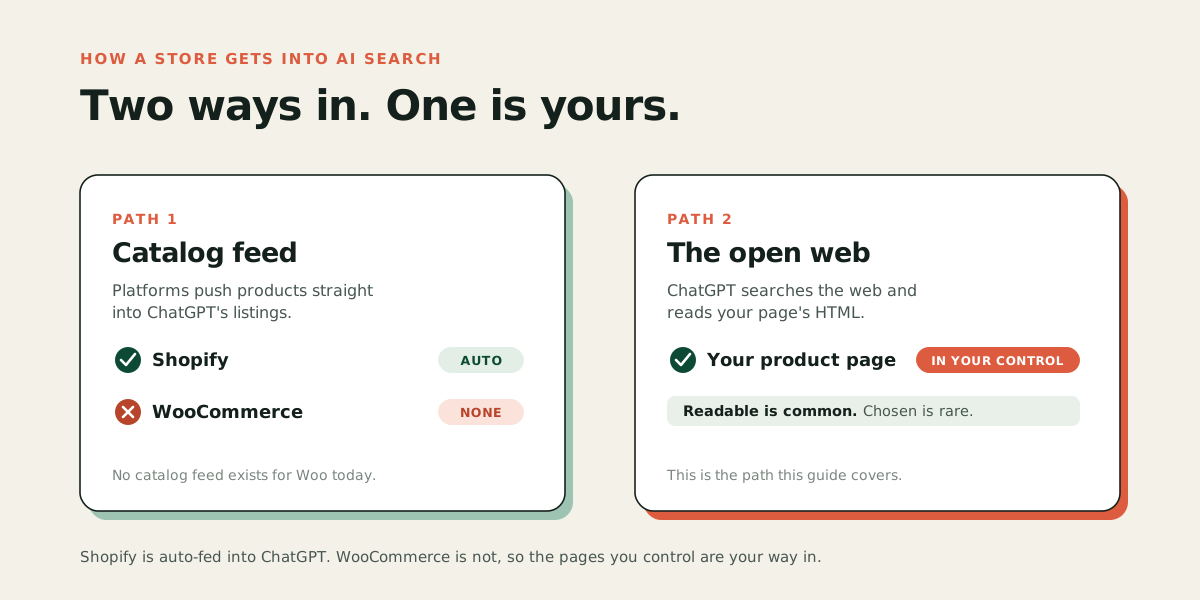
For the bigger picture of how agents decide what to recommend, see how to get your products recommended by AI. If you sell on Shopify, the mechanics are slightly different because Shopify pushes your catalog into ChatGPT automatically; see how to get your Shopify products into ChatGPT Shopping for the platform-specific version of these checks. If you're on WooCommerce, which has no automatic feed into ChatGPT, see how to get your WooCommerce store into AI search.
None of the five causes above need a developer or a rebuild. Most stores in our scan were readable; very few were buyable, and the gap between those two states is a handful of fixes, not a redesign. Start a free trial and Acom finds and fixes these gaps automatically, or run the free audit first to see exactly which ones apply to you.